How to Redeem Zombies vs Humans Codes
PC and mobile steps, case rules, and what each error message actually means.
Redeeming a code in Zombies vs Humans takes less than a minute if you are in the correct Roblox experience and the HUD is not covering the box. This page is the practical walkthrough: where the button sits, how to paste without extra spaces, and what to do when Verify does nothing.
If you still need the live strings, go back to the codes hub. If you would rather skip promo text and take the guaranteed 100 Money, use group rewards.
Confirm you are in Dejavu Studios’ game
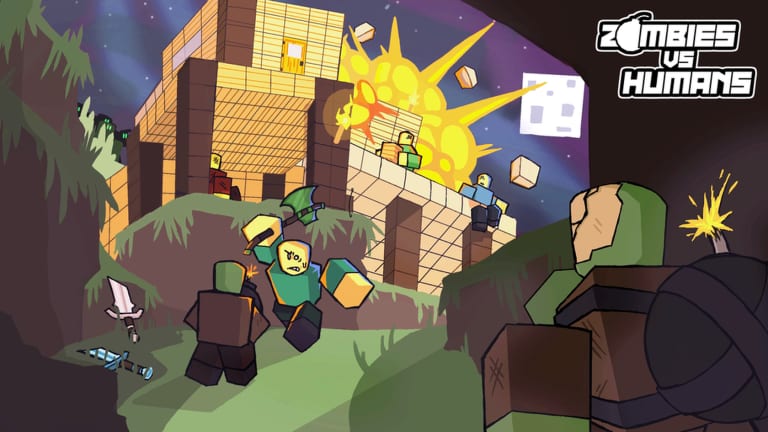
The survival round is Zombies vs Humans by Dejavu Studios. The thumbnail shows a fortress at night, not a lobby with pick-a-team weapons. If the description says “Use the code RELEASE” and talks about cars, you launched the fighting clone. Leave and open the survival place before you waste a redeem.
Server size should cap around 32. Genre is survival. Credits name roff, BadHmidou, megatron, and ynnad. Those details match this wiki; they do not match the clone.
PC steps
- Finish or skip the short tutorial overlay so the HUD is visible.
- Look at the left side of the screen for a Codes button. On some UI revisions it sits under Settings or a Twitter-style bird icon.
- Click it. A panel opens with an Enter Code Here field and a Verify button.
- Paste the string exactly as listed on the codes hub. Do not add spaces, quotes, or a hashtag.
- Click Verify once. Wait for the toast. Money or Coins should appear in the shop currency readout.
- Close the panel and buy blocks immediately. The Build timer does not pause.
If the button is missing, press the in-game Settings gear and look for a Redeem or Codes tab. v1.2 also added custom keybinds; it did not remove the codes panel, it only moved HUD scale options.
Mobile steps
Touch HUDs collapse. Tap the menu chevron or the three-line control on the left, then Codes. The keyboard can inject a trailing space after paste — delete it before Verify. Landscape mode makes the field easier to tap. If Verify is hidden behind the Roblox chat bar, close chat first.
On console, use the on-screen keyboard from the same panel. Avoid a Bluetooth keyboard that sends a Return before the string is complete.
Case, spaces, and one-redeem rules
Codes are case-sensitive. Release is not RELEASE. Copy from the table instead of typing from memory. Each code is typically once per account, not once per server. Rejoining will not grant a second payout.
If you share an account across PC and phone, the first device that Verify succeeds on consumes the code for everyone on that Roblox user.
Error messages
- Invalid / doesn’t exist — wrong game, typo, or the string was never live on this title.
- Already redeemed — you already claimed it. Check Money; it may have landed while you were in Night.
- Expired — patch codes vanish after a like goal or a numbered update. Stop retrying.
- Blank toast — network hitch. Rejoin, then try once more. Do not mash Verify; some UIs lock the button.
- Too poor is a shop message, not a code error. You opened the buy prompt, not the redeem panel.
After a successful redeem
Open the shop during Build, not during Night, unless you already have a hole to hide in. Spend the 100 on planks, logs, and a torch. A Gold Sword you cannot reach because Bombers deleted your staircase is wasted Money. Pair this with the getting started kit and the loadout checklist.
If you planned to buy a zombie with Tix, remember codes almost always grant Money, not Tix. Hunter and Gladiator still want tickets from wins and achievements. That split is explained in how to get Money.
When there is no Codes button
Dejavu Studios’ round has gone through HUD refactors (Saving Grace saving, New Frontiers maps). If your server truly has no redeem UI, you are not missing a secret keybind — that session may not expose codes. Take the group bonus, play the night, and check this page after the next update. Do not download a “code redeem script”; that path is an exploit and the game rules ban it, which is the same warning we give on the scripts hub.
Extra checks that save a round
- Like and favorite the experience if you want patch pings, but likes are not codes.
- Read the description for a like-goal weapon. That is a developer milestone, not a redeem string.
- Keep this wiki and the official links open on a second monitor so you are not alt-tabbing through five code blogs while the Build clock hits 0:40.
Redeem, spend, then build. The box is a sidebar, not the game.
Frequently Asked Questions
Quick answers players ask after every night.
Can I redeem on mobile?
Yes. Open the left menu, tap Codes, paste, delete any extra space, then Verify. Same strings as PC.
Does Verify work during Night?
Usually yes, but you will die if you stand still. Redeem in Build or after the round.
Why is RELEASE invalid?
You may be in Dejavu Studios' survival place while that string belongs to the fighting clone — or it already expired. See the codes list.
Do I need VIP to redeem?
No. VIP is a separate pass on game passes. Codes are independent.